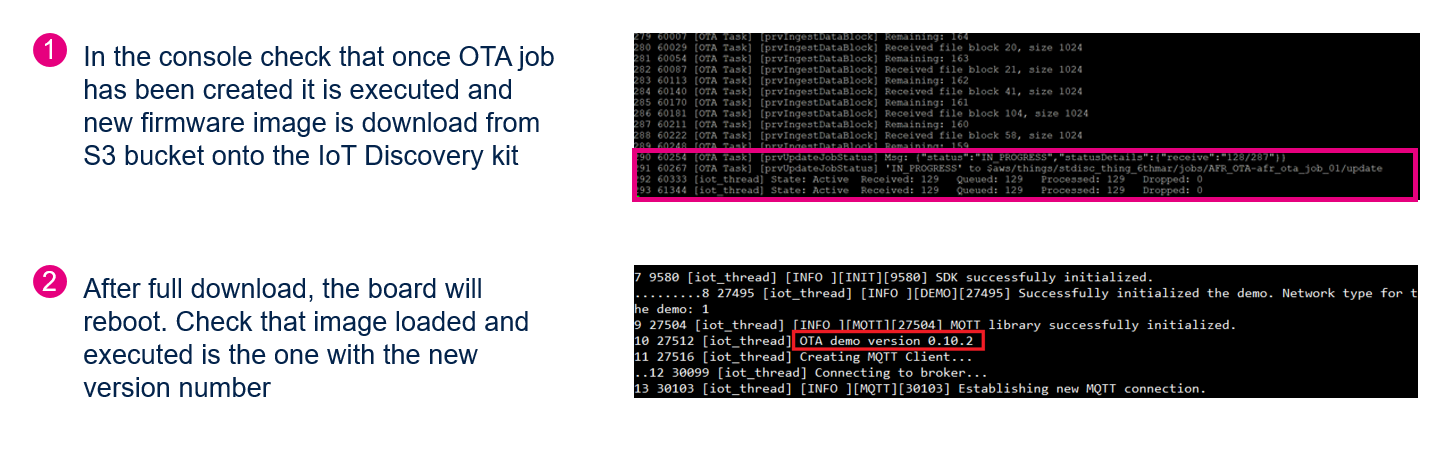
LAB 03-02 - OTA Firmware Update: Prepare the Cloud Side Configurations for the OTA Job
Goals
In this lab we are going to setup the cloud side configurations to successful transfer the firmware application image remotely
At the end of this lab, the device will be upgrade to a newer version of firmware
Create Amazon S3 Bucket
1.Go to the link https://console.aws.amazon.com/s3/
2.Click the button of creating new bucket.
** bucket name should start “afr-ota”
3.Give a new name of the bucket. Click “next”
4.For the “versioning” option, check it
5.The rest of setting can be just set as default one. Click “next” and create the bucket
6.In the new created bucket, upload B-L4S5I-IOT01_aws_demos.sfb which was generated in the last step. This should be the “New Application Image that was created
** The firmware version number should be incremented

OTA Update : OTA IAM Policies
IAM PRE-REQUISITES –> DONE FOR YOU..
Review the additional OTA specific IAM polices required for the lab from the below links.
https://docs.aws.amazon.com/freertos/latest/userguide/create-service-role.html
https://docs.aws.amazon.com/freertos/latest/userguide/create-ota-user-policy.html
OTA Update : OTA Job Creation - 01
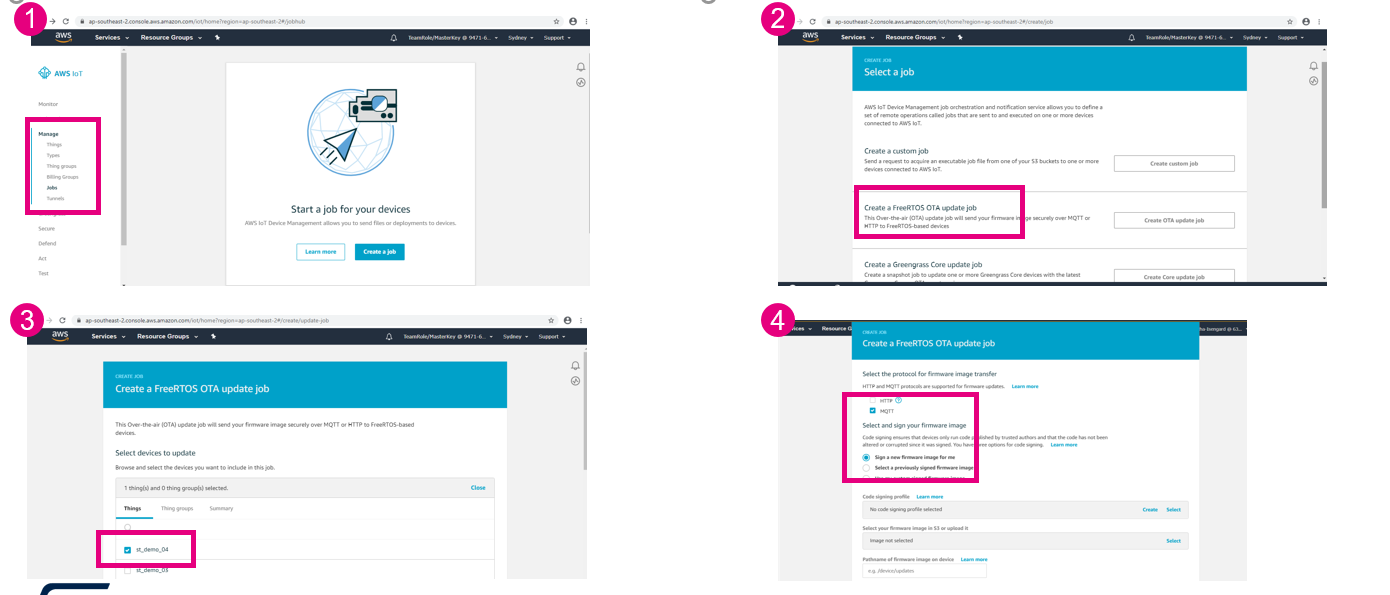
OTA Update : OTA Job Creation - 02
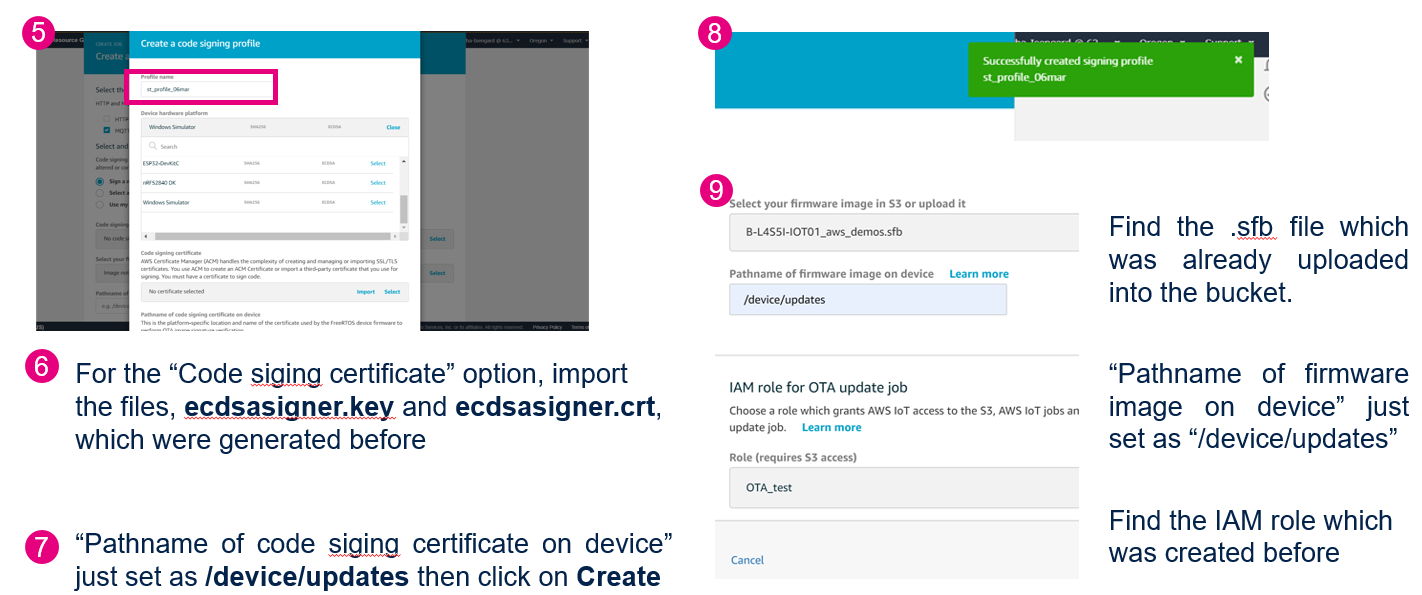
OTA Update : OTA Job Creation (final step)
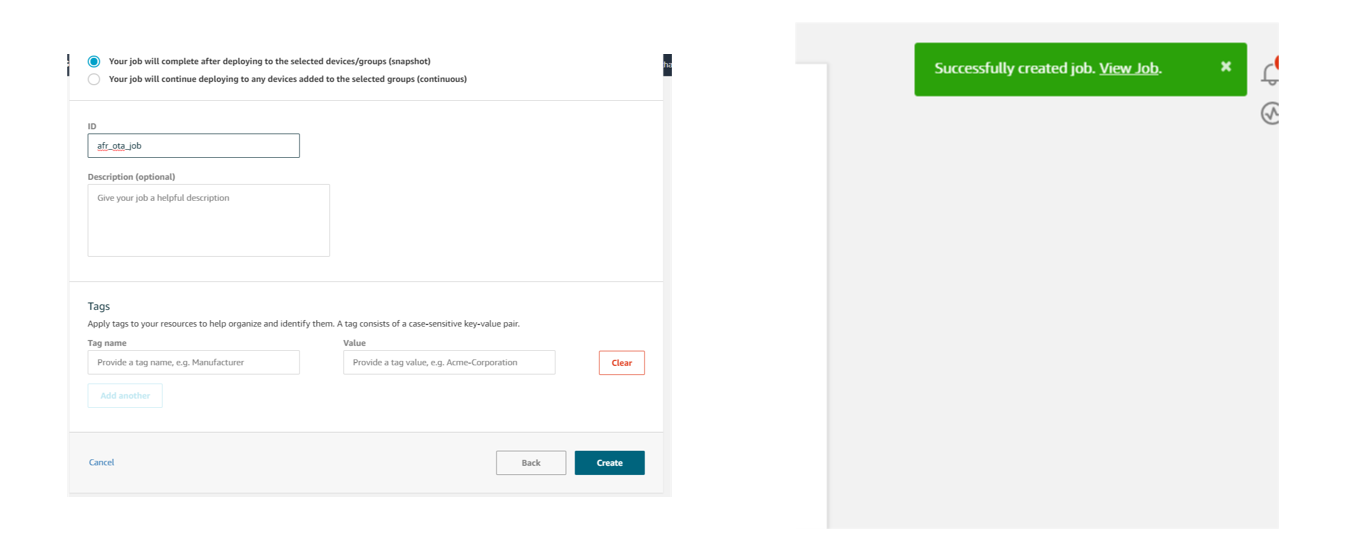
OTA Job Status: Monitor Job Progress
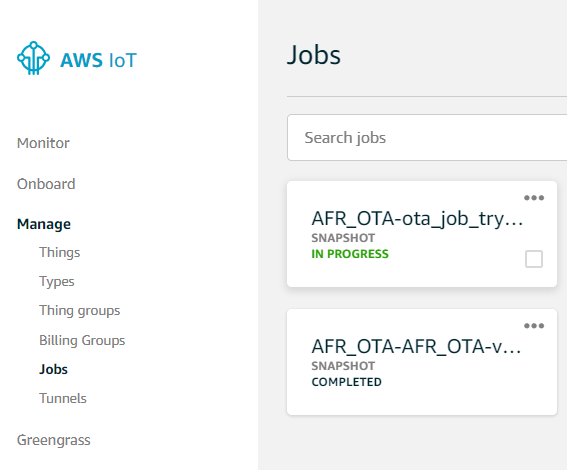
Verification
If the firmware upgrade is successful, you will see the new version of the firmware installed on to the target & running.