Lab 00-03: Building the Demo Application project using X-Cube-IDE
Application Project
-
Application project We are going to compile the default AWS Mqtt Demo application
-
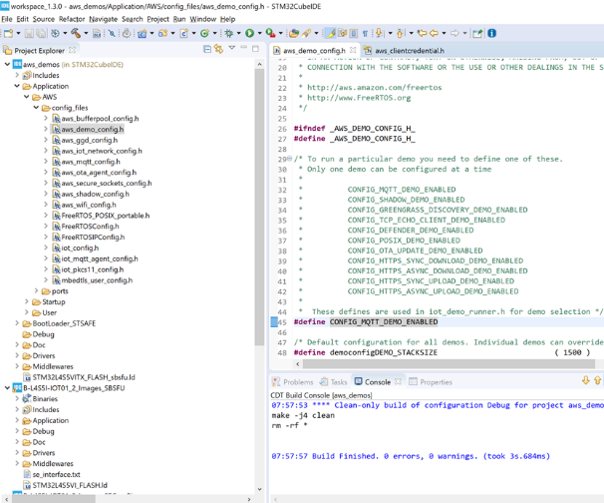
For that we need to select the right application in the AWS config files
-
In aws_demo_config.h please select,CONFIG_MQTT_DEMO_ENABLED as highlighted on the right side
-
As mentioned earlier on we do not need to configure properly the parameters as we just want to extract the Device certificate
-
Therefore in aws_clientcredential.h you do not need to put the credentials and wifi setup
-
Board will not connect to the network but again for the time being this is not critical
-
Once previous steps are completed, right click on the aws_demos project select ** Clean project ** then select ** Build Project **
-
Download the project onto the Device using STM32 Cube Programmer.
-
Select the right binary in the right location (navigate until ..\Projects\B-L4S5I-IOT01A\Applications\Cloud\aws_demos\STM32CubeIDE\PostBuild) then click, Open and Start Programming
-
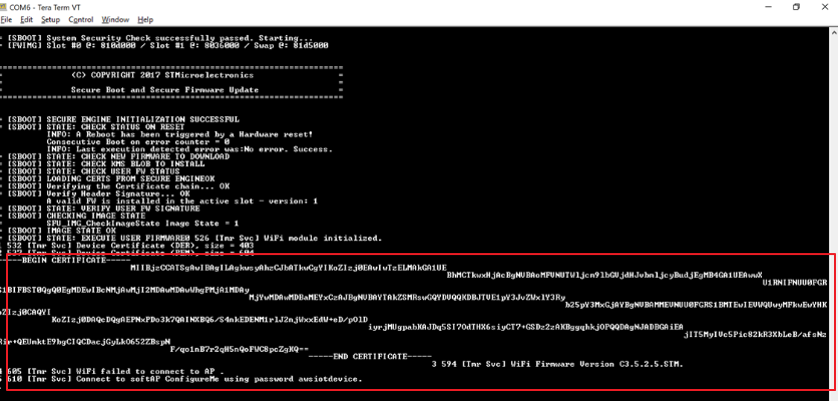
To verify the results, Once connected, reset the board (through the black button) and observe the output onto your screen
Once the board is connected to the PC, in a serial terminal emulator, locate the COM port and configure it:
8N1, 115200 bauds, no HW flow control
Set the line endings to LF or CR-LF (Transmit) and LF (receive).
Reset the board (thanks to the IDE, STM32CubeProgrammer, or the black reset button)
-
Copy the certificates..take note of the newline and save this to a file called cert.pem. This certificate is immutable, unique and is and stored in the on-board STSAFE chip. It will be used for authenticating the device each time it connects to AWS. Make sure to use the same name as above as it will be used in following steps
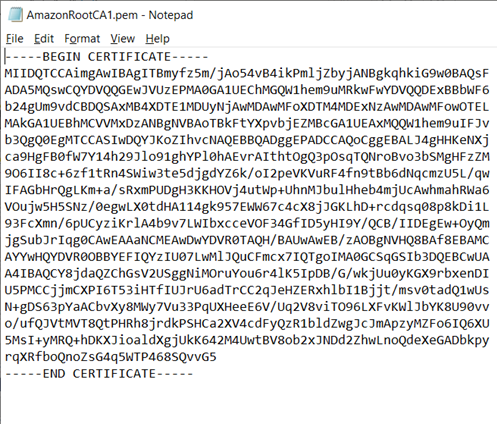
The certificate file will look like the below