Lab 00-01: Building the Provisioning project using X-Cube-IDE
Importing the Project
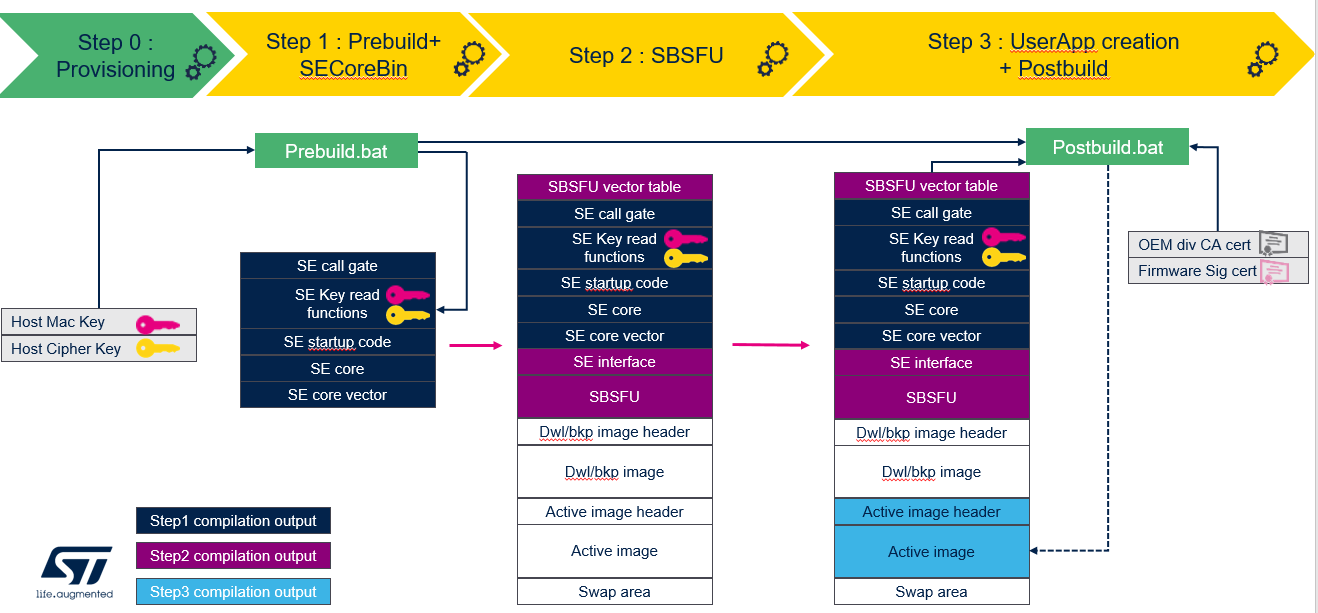
- Provisioning project is the first step to setup generate the private keys and the device certificates
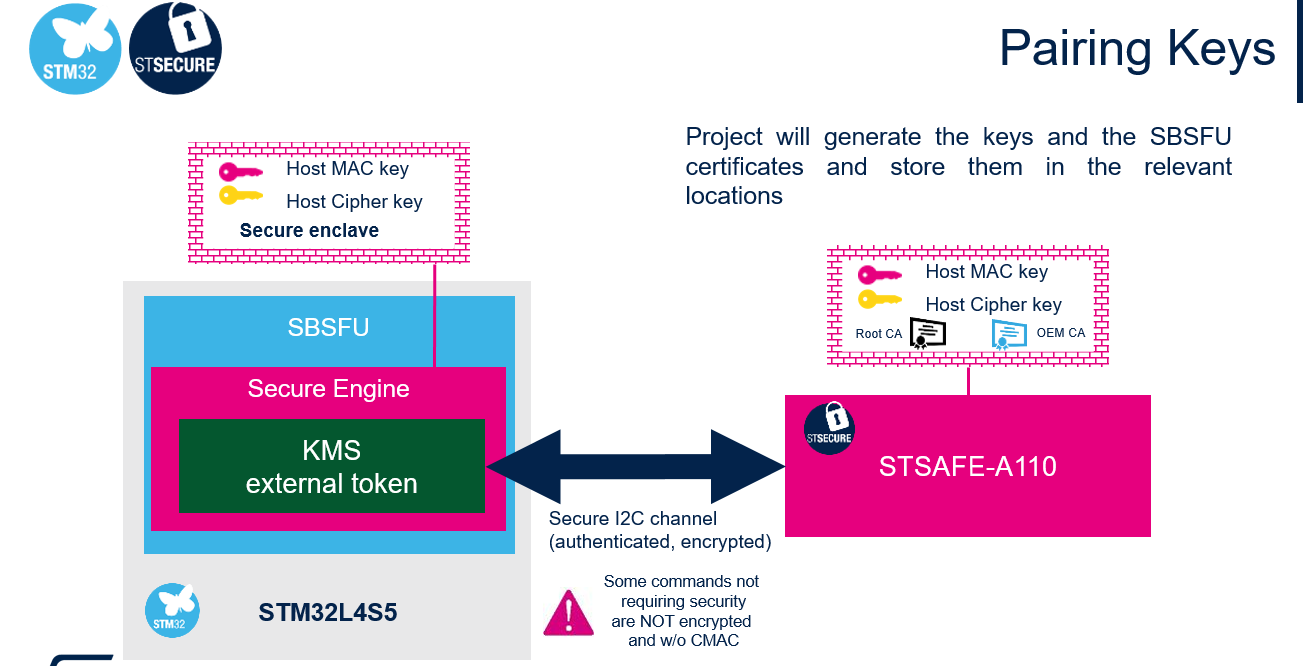
- Project will generate the keys and the SBSFU certificates and store them in the relevant locations
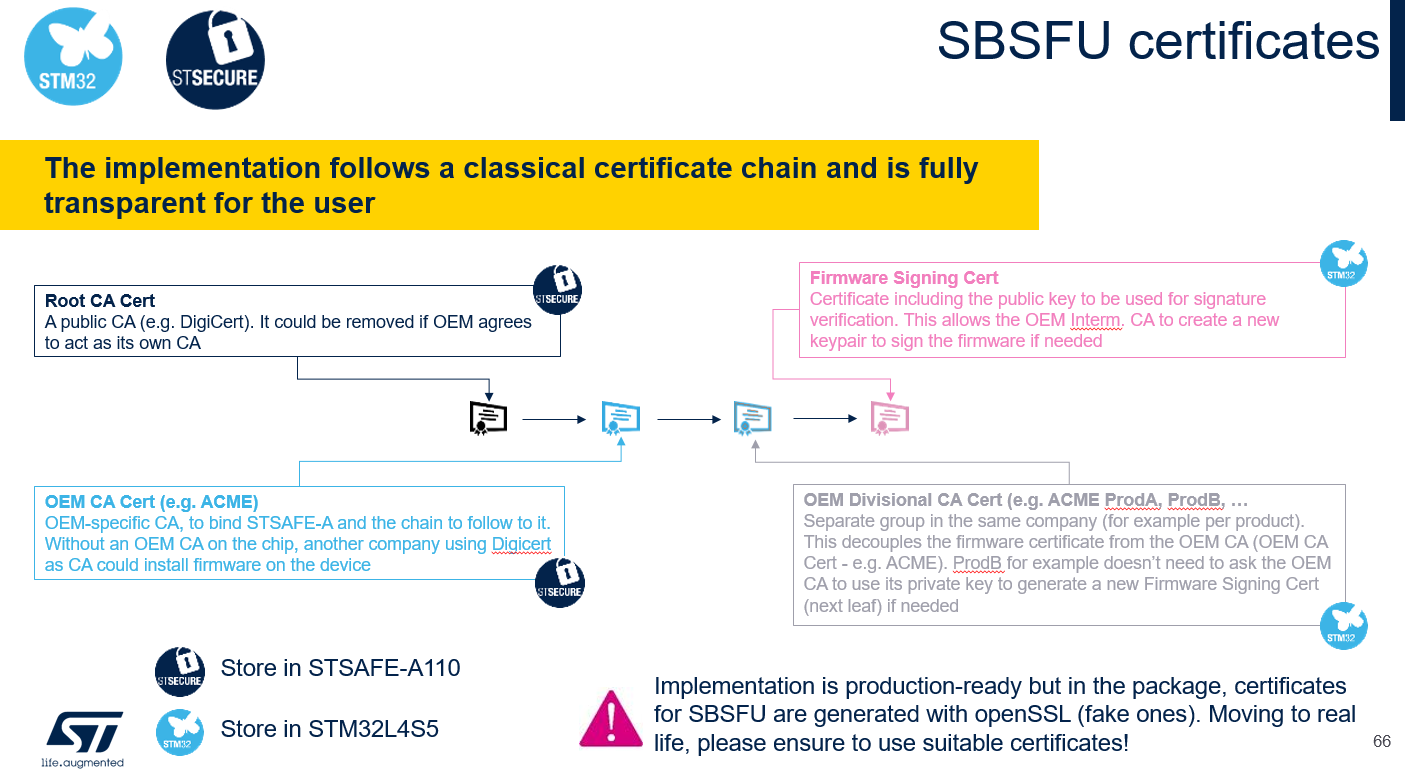
- The implementation follows a classical certificate chain and is fully transparent for the user
- To compile the ST-SAFE Provisioning Project, In STM32CubeIDE, right click on the Provisioning project and select Clean Project. Repeat the same operation but this time select Build Project
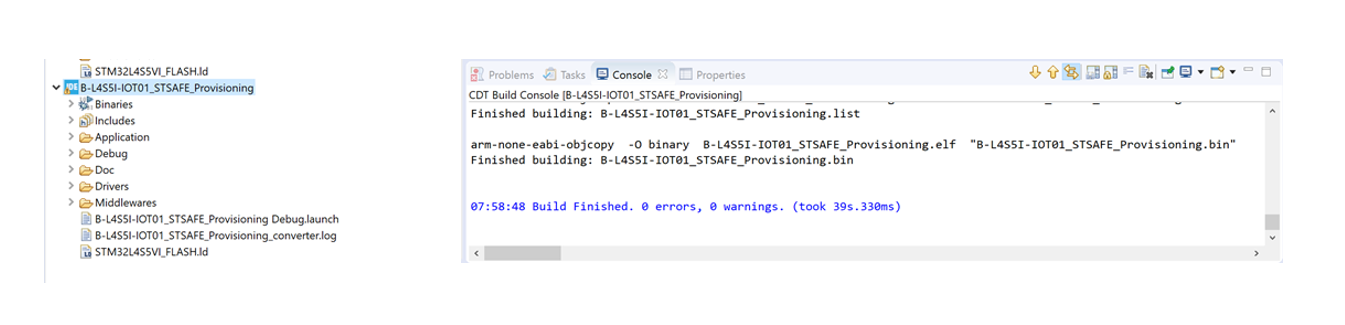
- Download the project on to the device, There are multiple ways to do this, in this we are going to use STM32CubeProgrammer
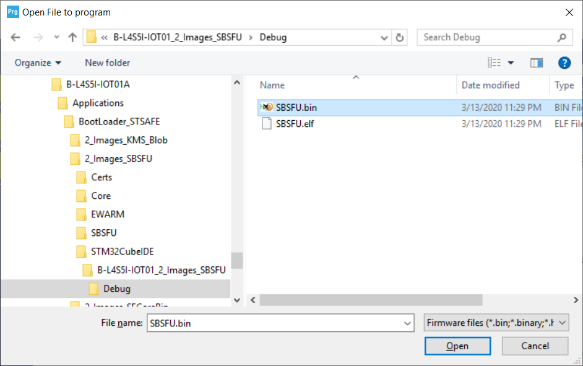
The firmware binary for the provisioning project can be found from the below folder. The BASE_DIR could vary dependending on where you installed the x-cube-aws-2.0 source
“C:\STM32CubeExpansion_Cloud_AWS_V2.0.0\Projects\B-L4S5I-IOT01A\Applications\BootLoader_STSAFE\STSAFE_Provisioning\STM32CubeIDE\B-L4S5I-IOT01_STSAFE_Provisioning\Debug”
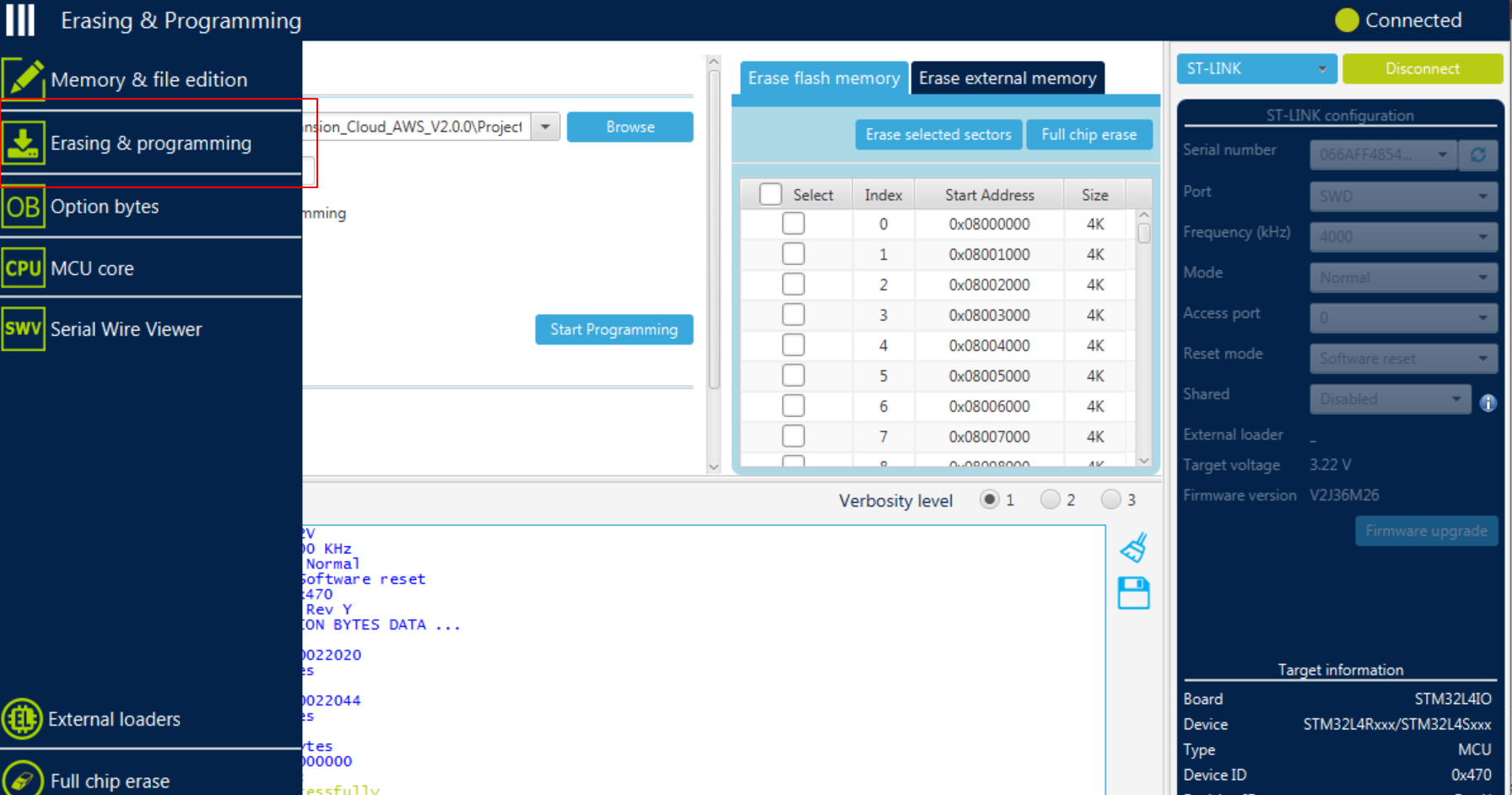
- To Download the provisioning project onto the Device using Cube Programmer
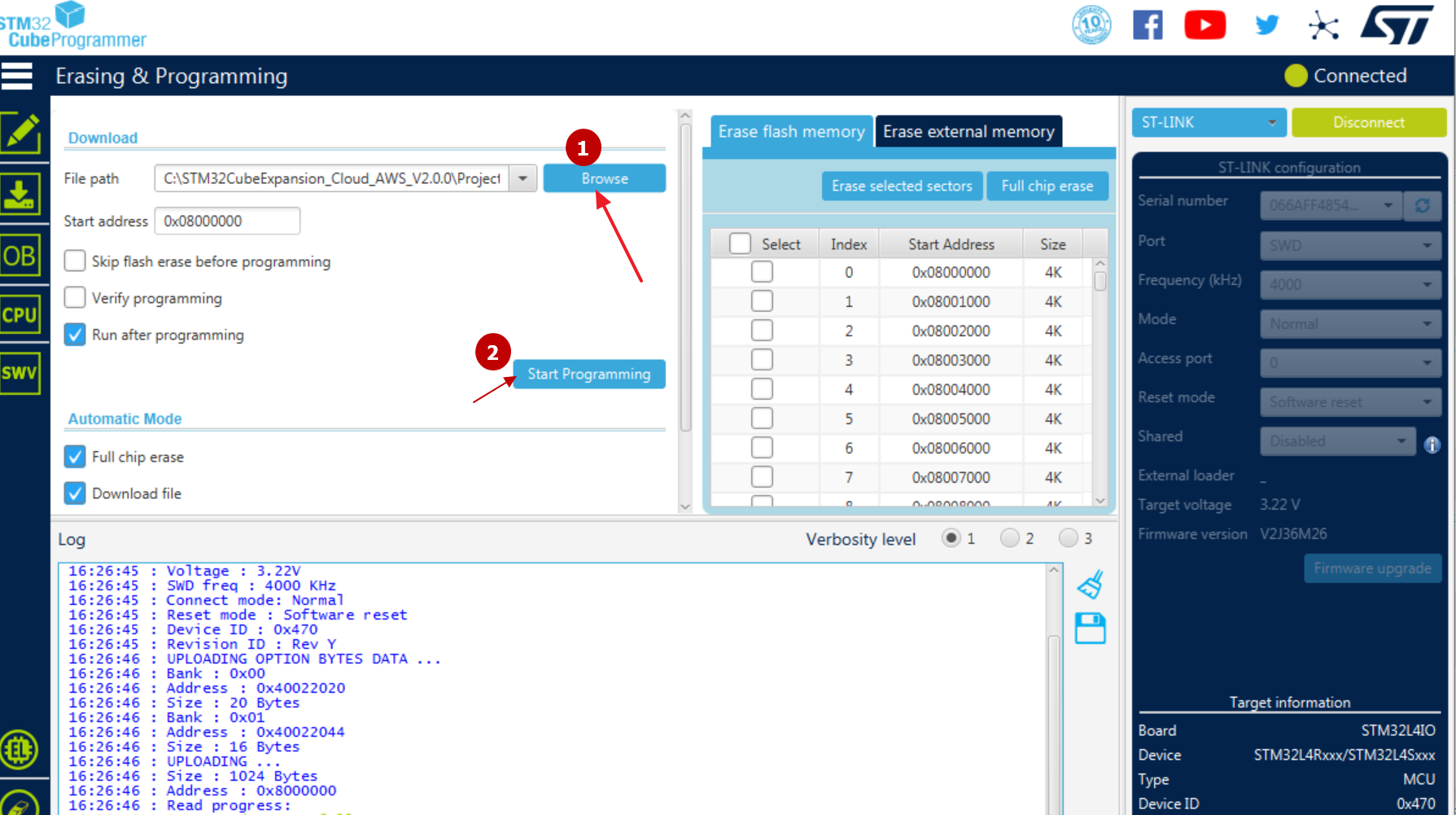
Select the right binary in the right location (navigate until ..\BootLoader_STSAFE\STSAFE_Provisioning\STM32CubeIDE\B-L4S5I-IOT01_STSAFE_Provisioning\Debug) then click Open and Start Programming
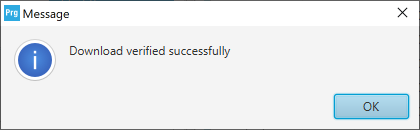
Confirm the firmware is downloaded successfully on to the target
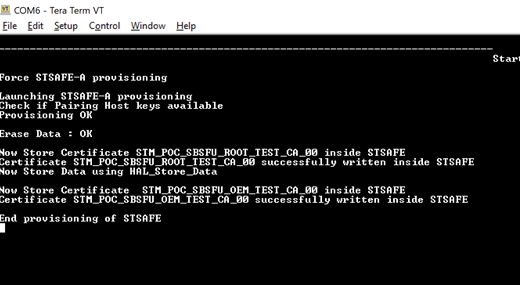
- To Verify the Results of the Provisioning Step, Once connected, reset the board ((through the black button) and observe the output onto your screen
Once the board is connected to the PC, in a serial terminal emulator, locate the COM port and configure it: 8N1, 115200 bauds, no HW flow control Set the line endings to LF or CR-LF (Transmit) and LF (receive). Reset the board (thanks to the IDE, STM32CubeProgrammer, or the black reset button)
Implementation is production-ready but in the package, certificates for SBSFU are generated with openSSL (fake ones). Moving to real life, please ensure to use suitable certificates!