LAB 02 - Cloud to Device Communication: LED Control
Goals
In this lab, we will see how to control the LED on the device from cloud remotely.
Overview
-
We will learn how send a command “remotely” from the cloud to the device using the AWS Shadow servcie.
-
AWS Shadow :The AWS IoT Device Shadow service adds shadows to AWS IoT thing objects. Shadows can make a device’s state available to apps and other services whether the device is connected to AWS IoT or not.
Shadows provide a reliable data store for devices, apps, and other cloud services to share data. They enable devices, apps, and other cloud services to connect and disconnect without losing a device’s state.
More details of Shadows can be found here AWSIoT Shadow Service
- LED Control
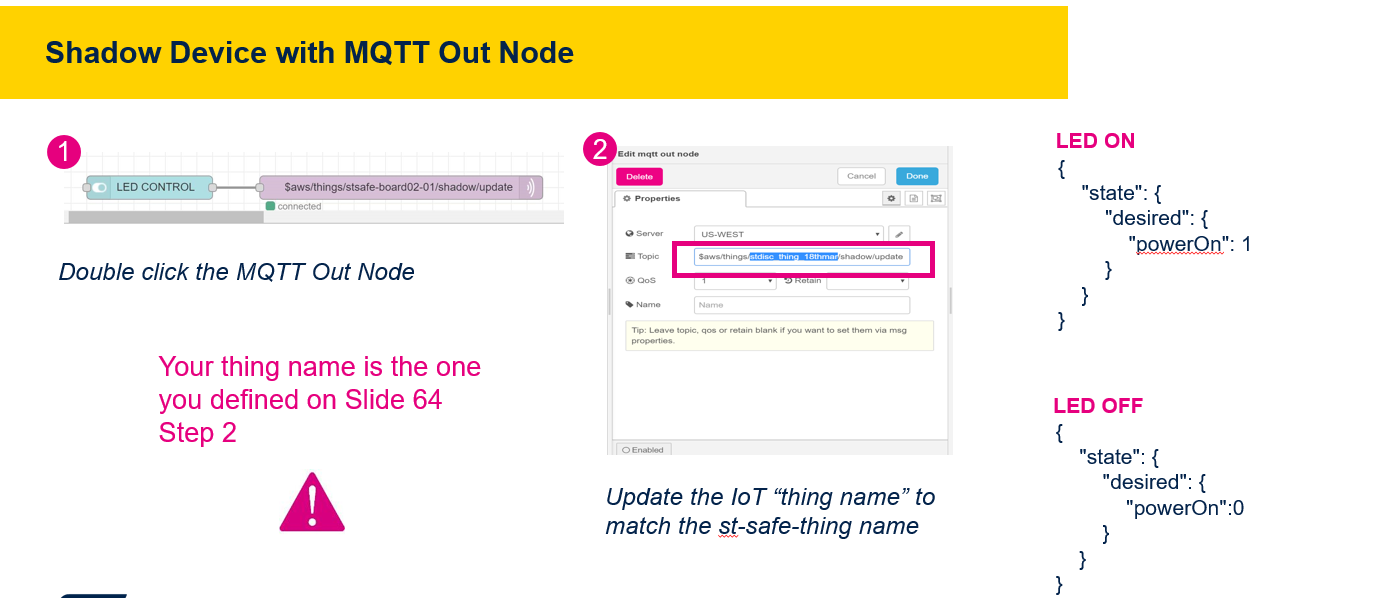
To send data out from dashboard, we need an MQTT Out Node.
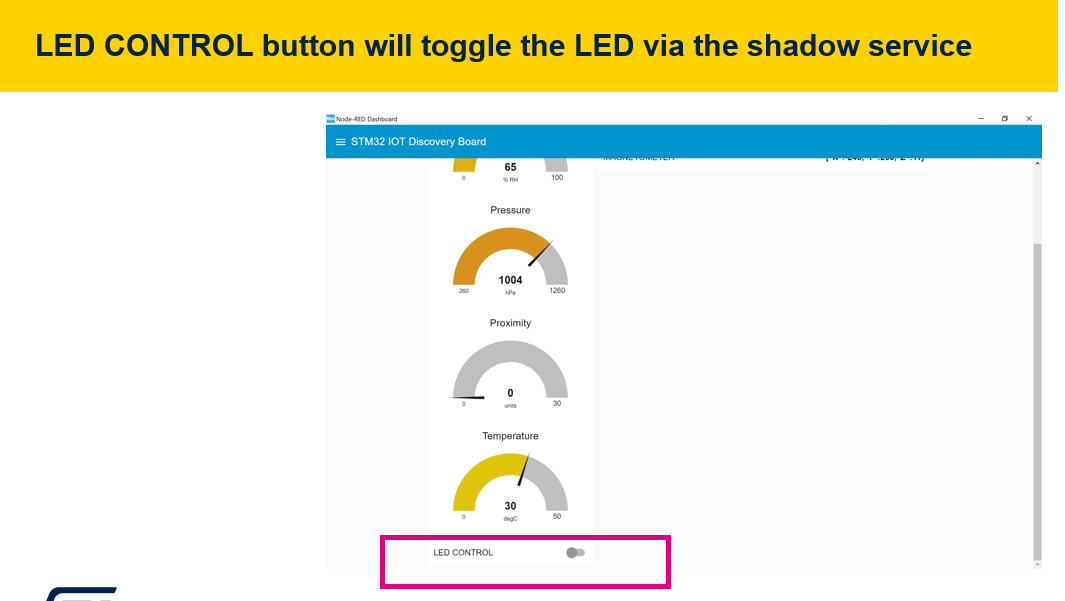
- LED CONTROL button will toggle the LED via the shadow service
This shall send a command via., the reserved shadow topic, for LED On, the json document shall be as shown below. The difference between the desired & the reported state, shall be published via,
ShadowTopicPrefix/update/delta
{
    "state": {
        "desired": {
            "powerOn": 1
        }
    }
}
The device shall be subscribing to the delta topic. Upon receive the change, the corresponding control actions is performed by the device. i.e. LED ON/OFF
AWS Standard Shadow Demo
-
If you want run the AWS standard shadow demo. i.e. without control of any onboard peripheral, to just send some messages from AWS Cloud to the remote device, enable the AWS standard shadow demo. This can be done by following the below steps
- Disable the ST custom demo in the firmwar. This could be done by commenting the “CONFIG_ST_CUSTOM_DEMO_ENABLED” in main.h file located in aws_demos/Inc directory. Please make sure that CONFIG_ST_CUSTOM_DEMO_ENABLED is commented (// beginning of the line)
- In the file, aws_demos/config_files/aws_demo_config.h, enable the CONFIG_SHADOW_DEMO_ENABLED
- Build and run the demo application. This shall allow you to publish “custom payload” from the AWS IoT core service